Your website gets traffic every week: referrals, ad spend, content that ranks. Almost none of it turns into a lead.
Contact forms convert poorly because the visitor gets nothing in return. Most close the tab instead of filling one out.
The Embed Scan Widget lets you drop a small, branded widget on your own site that runs a free ranking scan for a visitor and hands back a qualified lead in the process:
Why a Contact Form Loses Visitors You Already Paid For
Every visitor on your site cost something to get there: content production, ad spend, a referral someone had to earn.
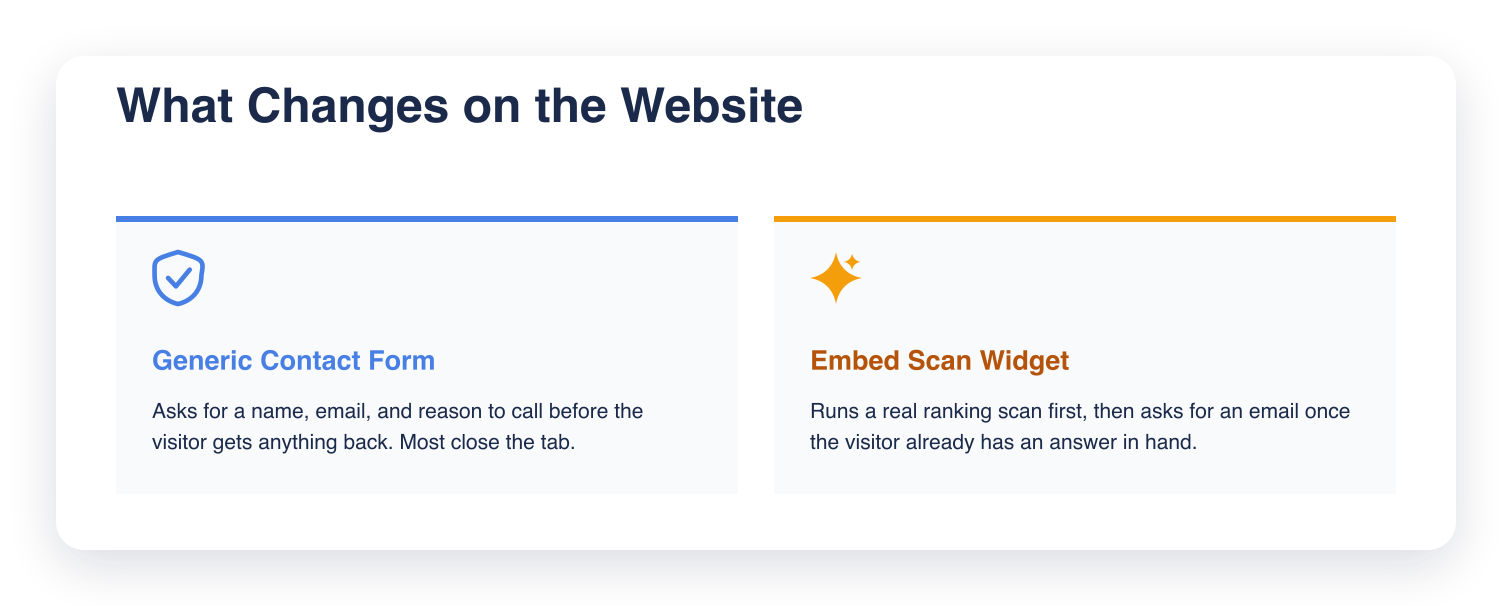
A generic "contact us" form asks for a name, an email, and a reason to call, before the visitor has gotten anything back.
Someone curious about their own Google ranking will run a scan before they'll ever fill out a contact form. That's the visitor the widget is built for.
How the Embed Scan Widget Captures a Lead
The widget gives the visitor something first: a real scan of where they rank. Instead of "tell us about your business," it offers a real answer to where this business stands.
What the Visitor Sees
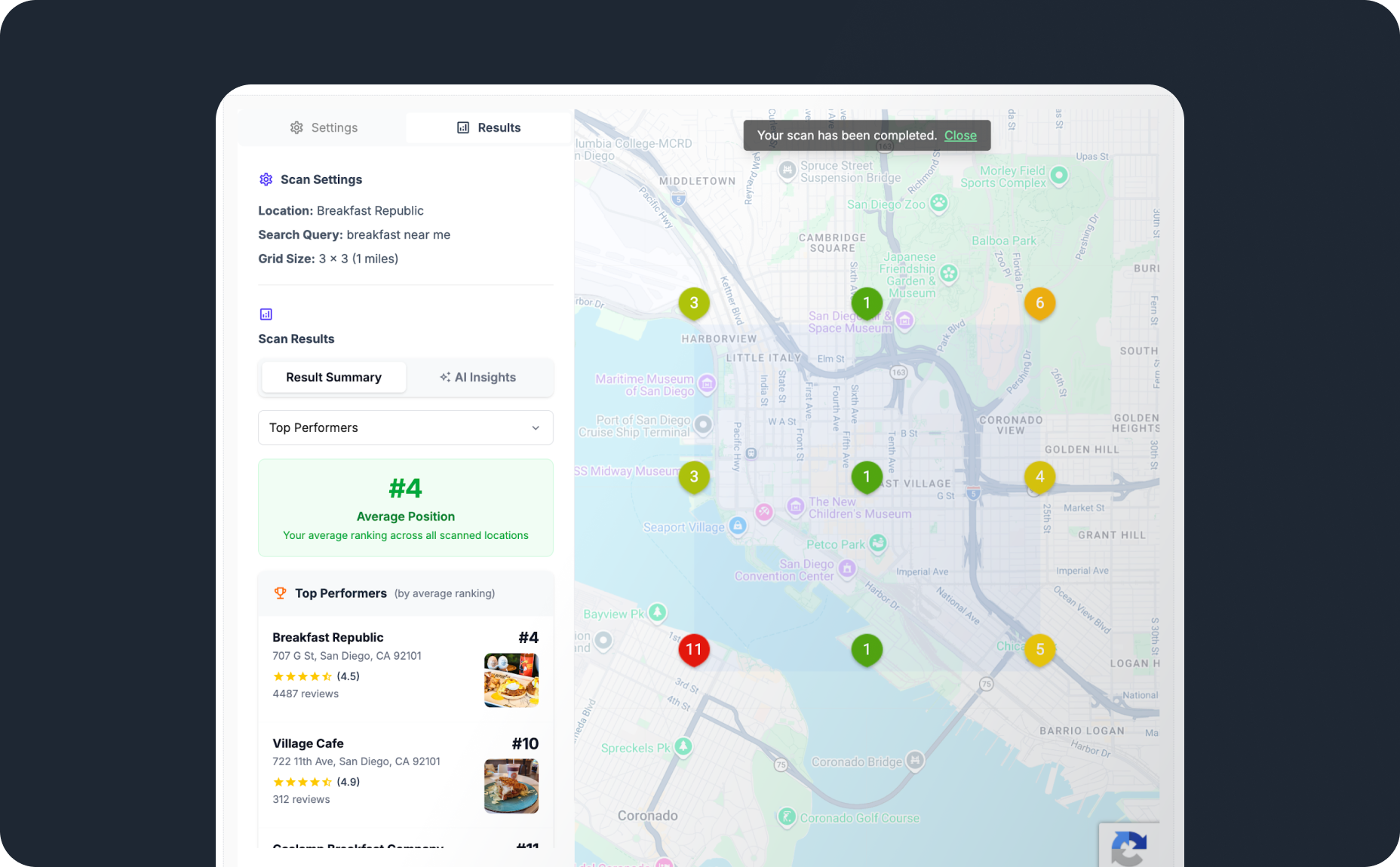
A visitor drops in a Google Maps link, types a keyword, and enters an email. The widget runs a real ranking scan and shows the result immediately, no account and no waiting on a callback.
Here's what that looks like:
What You Set Up
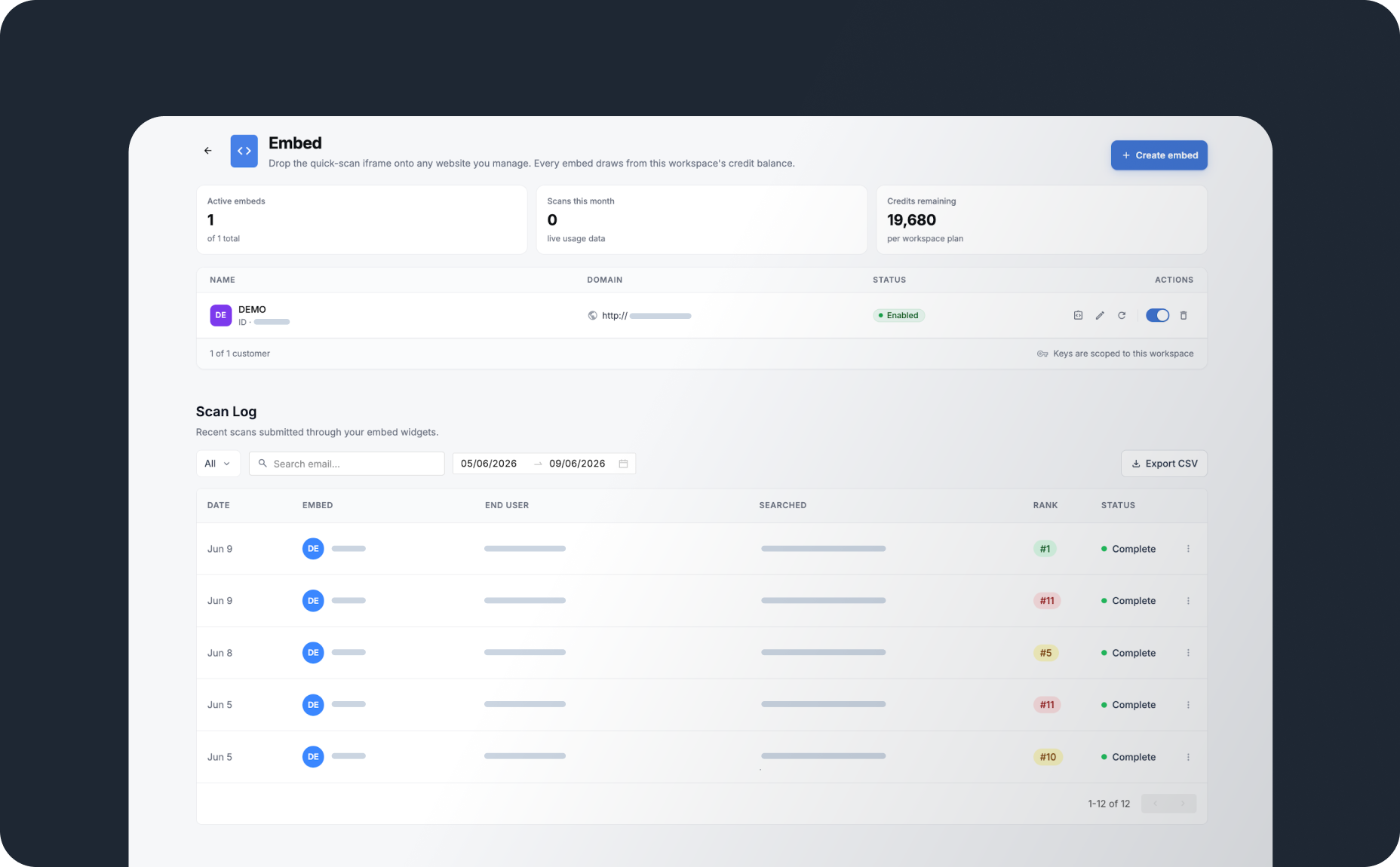
Setup happens once, from the Embed page inside Grid My Business:
- Create an embed key
- Set a monthly scan limit for that key
- Restrict the key to the domains allowed to run it
- Paste the generated script into the site
Here's that setup screen inside Grid My Business, embed keys and scan log side by side:
Once the script is live, it runs on its own. No one has to check on it for it to keep working.
What Happens to Every Lead the Widget Captures
The email address is only the start. Every scan gets logged, and the log is where the real lead list builds. Here's the path a captured lead follows:
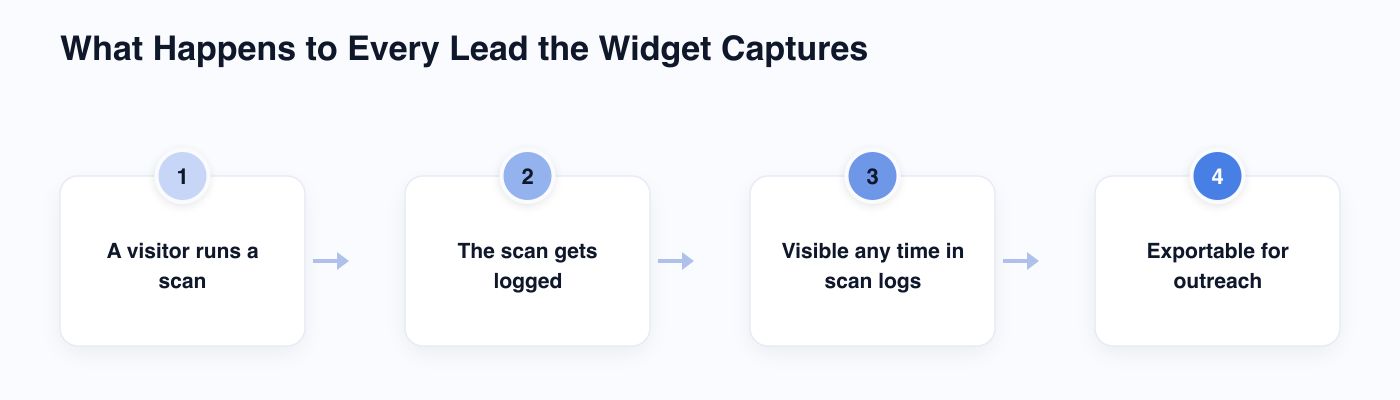
Scan logs stay visible any time, not just the moment a scan runs. You can check them on your own schedule, on the same Embed page shown above, and see who ran a scan, what they searched, and how their business ranked.
Leads can also be exported for outreach, so following up doesn't depend on remembering to check the widget every day.
The Guardrails That Make It Safe to Leave Running
A script sitting unattended on a public website needs limits, and the Embed Scan Widget ships with several:
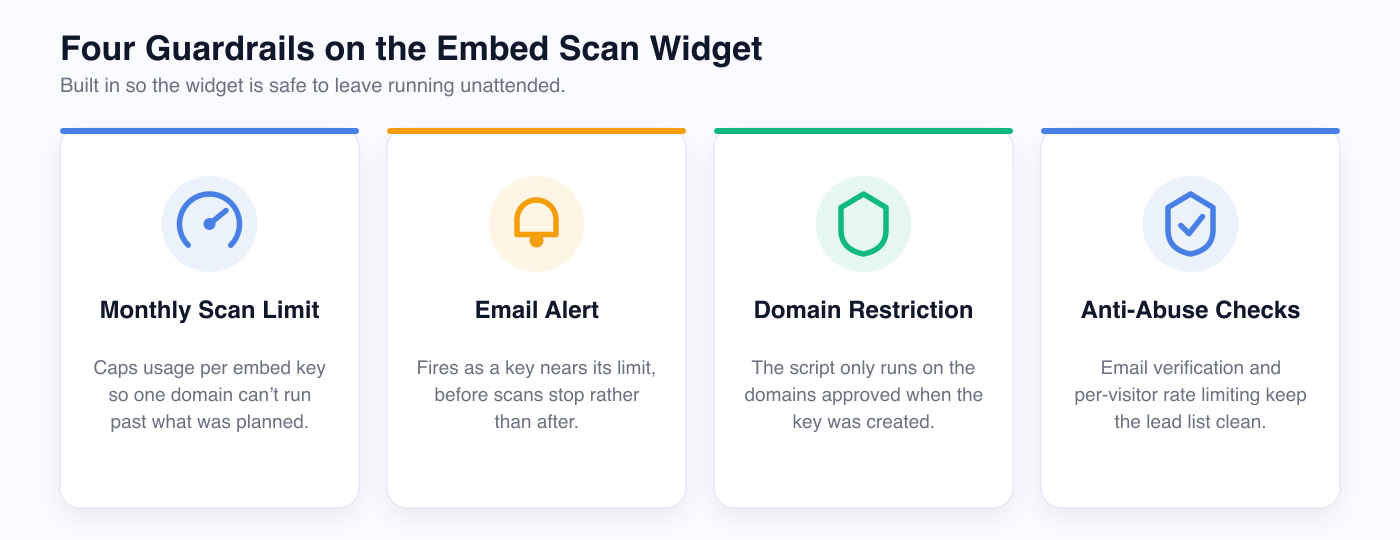
Each embed key carries its own monthly scan limit, so one domain can't run past what you planned for. An email alert fires as a key nears that limit, before scans stop.
Domain restrictions keep the script working only where it was approved to run. Lifting the code and pasting it onto another site won't work.
Anti-abuse checks cover what's left. Email verification and per-visitor rate limiting keep the lead list clean, without you sorting spam out of real leads.
Wrapping Up
The widget swaps a contact form's empty ask for a real ranking scan, then asks for an email once the visitor already has something in hand.
If you're on the Scale or Dominate plan, you can create an embed key from the Embed page and have the widget live the same day.
Frequently Asked Questions (FAQs)
Q: Do I need a developer to install the Embed Scan Widget?
A: Not really. You create the embed key inside Grid My Business, then paste one generated script into your site.
Q: Can I run the widget on more than one website?
A: Yes. Create a separate embed key for each domain, each with its own scan limit and domain restriction.
Q: What happens once a key hits its monthly scan limit?
A: Scans pause until the next cycle or until you raise the limit. You'll get an email alert as the key approaches that ceiling.
Q: Where do the leads the widget captures show up?
A: They land in your scan logs inside Grid My Business. You can check them any time and export the list whenever you're ready to follow up.
Q: What plan includes the Embed Scan Widget?
A: It ships with the Scale and Dominate plans.
Leave a Reply